Plan Your Backyard Playset Using New 3D Tool
Selecting a backyard playset is a big decision for parents who want to create a safe, exciting, and imaginative outdoor space for their children. With Woodplay’s 3D and Augmented Reality (AR) viewing tool, you can now explore any playset in lifelike detail and see exactly how it will look in your yard before you buy. This technology offers families a realistic way to understand size, layout, and space requirements, helping you plan the perfect backyard play zone with confidence.
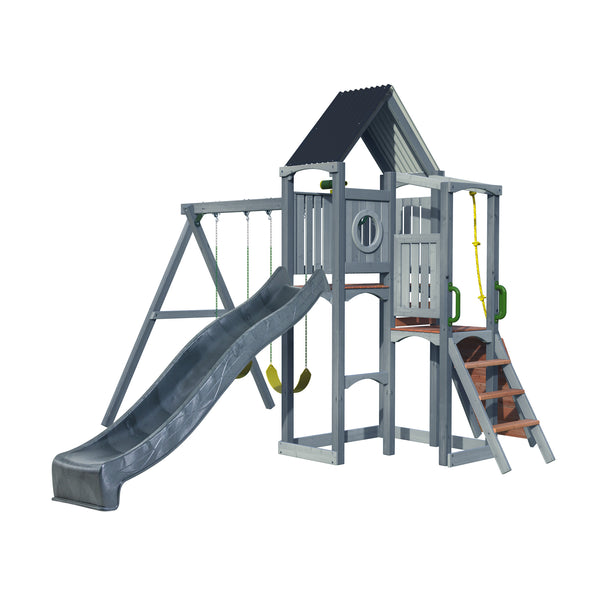
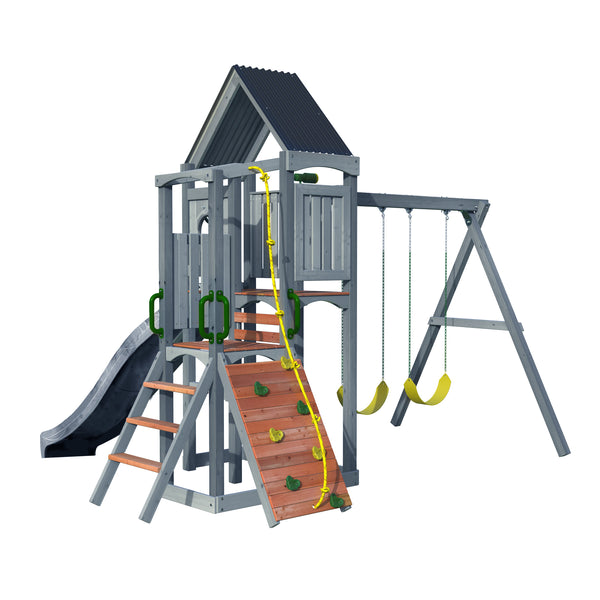
You can begin by exploring the playset in 3D, which is available on both mobile and desktop. On your phone, open the product page for the Woodplay model you’re interested in and tap the main product image. This launches the 3D view, where you can drag your finger across the screen to rotate the playset and examine it from all angles. You can zoom in to check deck height, slide length, swing beam details, or add-on accessories. If you're using a computer, scroll through the image library until you see the 360° view, then click and drag your mouse to explore. This detailed preview is especially helpful when choosing between different sizes and configurations, as it allows you to compare models visually and understand their structure long before installation begins.
Once you've seen the playset in 3D, you can bring it directly into your actual backyard using our AR feature. This tool is available on mobile and makes planning incredibly intuitive. To use it, open the product page on your phone and tap “View in Your Space.” Your camera will activate, and after aiming it toward your yard, the playset will appear at full scale on your screen. This allows you to walk around the virtual playset and assess how it fits the space, how the swings will clear surrounding areas, and whether there’s enough room for safe play. AR also helps you determine the best orientation, ensuring slides have enough landing space and the overall layout flows with your yard’s natural shape.
It gives you a true sense of how the playset will reshape your yard, from creating shaded play areas to defining the center of outdoor activity. You can try multiple models or sizes in seconds, compare placement options, and capture screenshots to review with your family. These screenshots can also be shared with a professional installer or a local dealer to help communicate layout preferences and ensure the playset you choose fits your space properly. Children love this part too, as they can see the playset come to life and imagine themselves climbing, swinging, and sliding before the physical build even begins.
Please note: the “View in Your Space” AR feature may not be available on every phone model, as availability depends on device compatibility.
Woodplay’s 3D and AR tools turn backyard planning into a more visual, interactive, and confident process. No more guessing about size or spacing. No more wondering whether the playset will fit safely beside the fence or behind the patio. Whether you’re upgrading your current yard or designing your dream play space from scratch, these tools help you make the right choice. Visit any Woodplay product page today to try the 3D and AR features for yourself and watch your backyard transform right before your eyes.